Creating a vehicle
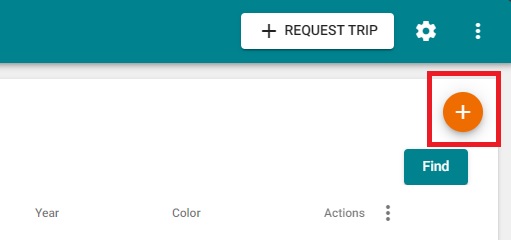
Creating a vehicle is very easy. Upon logging in as a provider, simply click on the Vehicles button on the left-hand side navigation menu to be taken to the Vehicles screen. On this screen, click on the orange (+) button on the top right to add a new vehicle.
A pop-up will appear which will include all required fields that must be provided. Once you have entered all of the fields, click on Save to add the new vehicle. The newly added vehicle will then appear in the list.
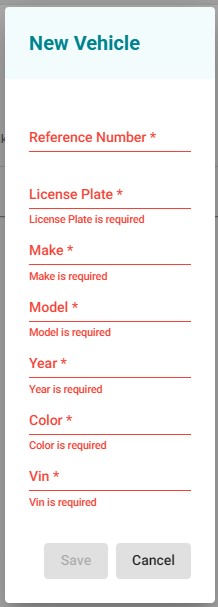
It is also important that you enter the VIN, as this is the value that is used to designate vehicles when performing trips for specific brokers.