Dispatching a trip
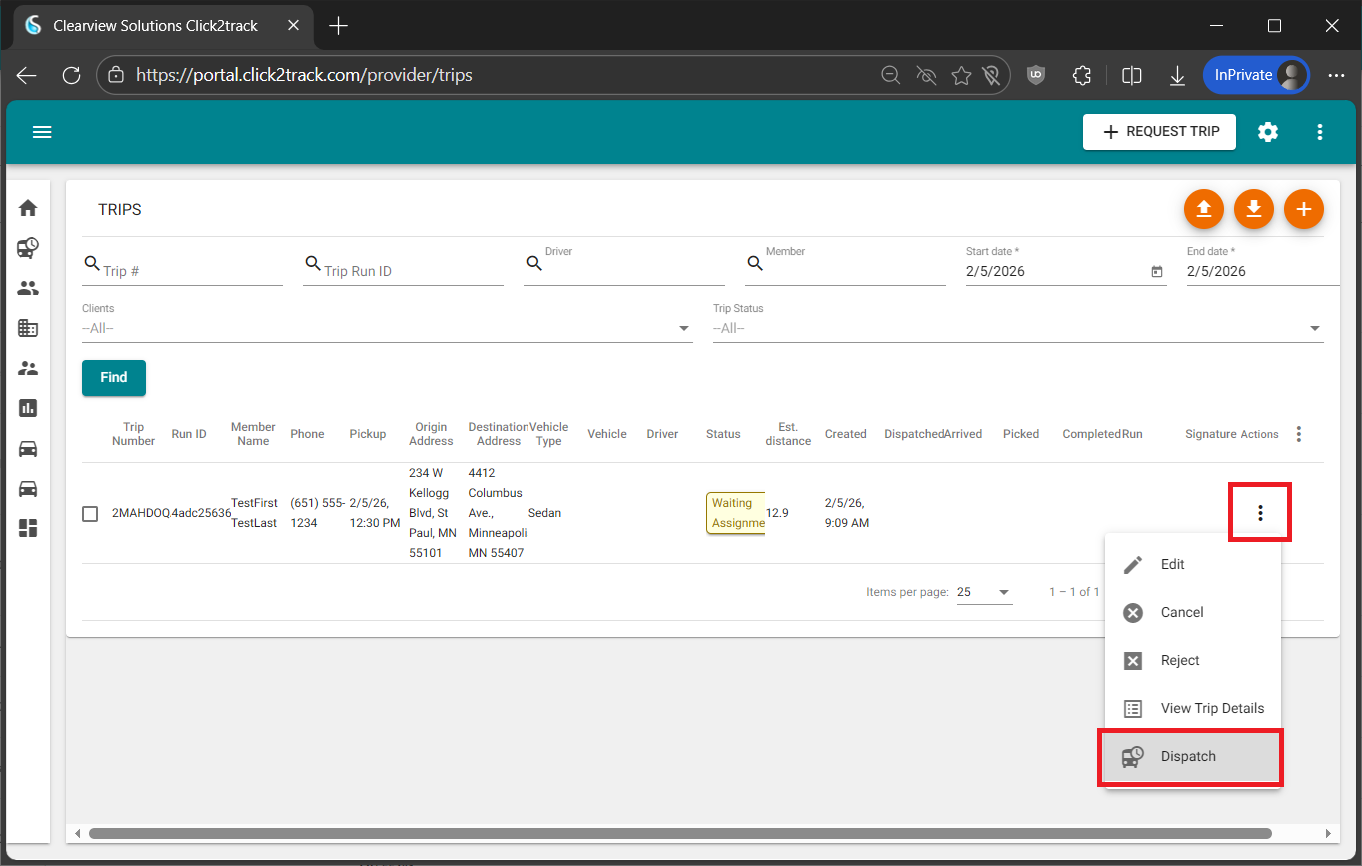
To dispatch a trip, navigate to the Trips screen and locate the trip(s) you would like to dispatch by using the filters at the top of this screen. Once the trip appears in the grid below, click on the three dots to the right of the trip, and select Dispatch. From this menu, you also have the ability to view trip details, cancel, or reject a trip.
A pop-up will appear which will include all of the drivers added to your system. If you do not see any drivers in this pop-up, you must add your drivers and add your vehicles. Select the driver that you would like to dispatch the trip to, and click on the Dispatch button.