Using the Click2Track Driver app
The Click2Track Driver app is the mobile application that your drivers will be using on their iOS or Android device to service and complete trips. The links to download the app for both device types can be found below:
To log in to the driver app, enter the following information below on the login screen:
- Driver ID
- The reference number of the driver as entered on the drivers screen
- Owner code
- The same company code you use to login to the Click2Track Portal
- Vehicle code
- The license plate of the vehicle as entered on the vehicles screen
After logging in, the driver will trips that are dispatched (assigned) to the them. Each trip will appear as a row and contain the passenger's name, pickup address, and pickup time. Each of the trip actions will appear as a button on the right side of each row. The trip events in order from trip start to finish are listed below:
- En Route
- The driver will press this button when they are on the way to the passenger's pickup location
- Arrived
- The driver will press this button when they have arrived to the passenger's pickup location
- POB (passenger on board) or Cancel (no-show)
- POB: The driver will press this button when the passenger has entered the vehicle
- Cancel (left swipe on the trip): The driver will press this button when the passenger was a no-show
- Complete
- The driver has dropped off the passenger
Trip waiting for the driver to mark en route
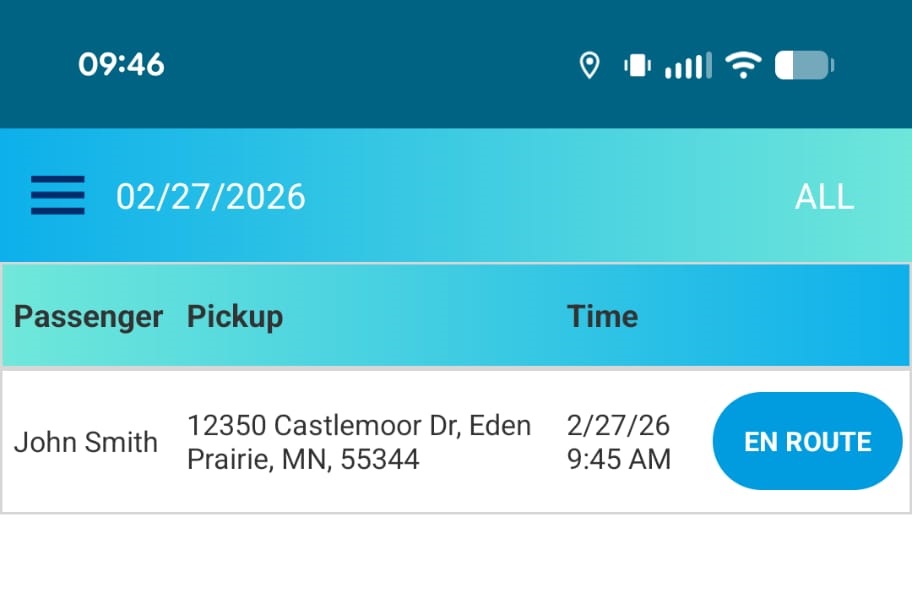
Trip waiting for the driver to arrive at pickup
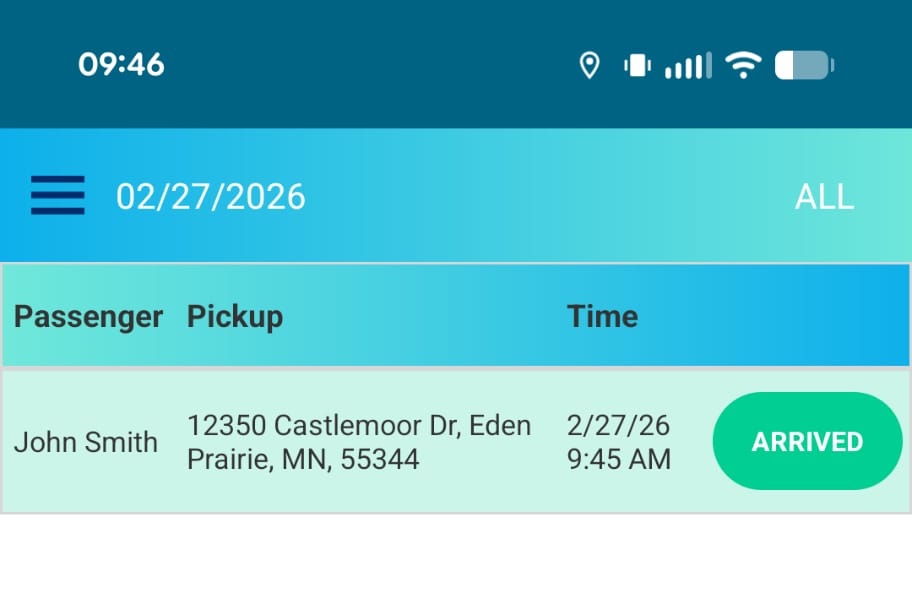
Trip waiting for the passenger to enter the vehicle
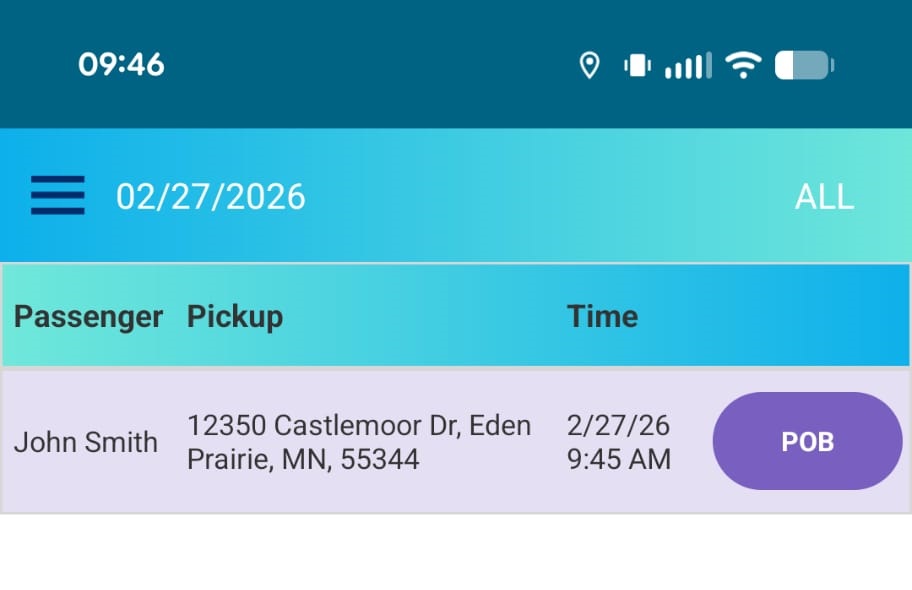
Trip waiting for the driver to cancel the trip due to a no-show (left swipe)
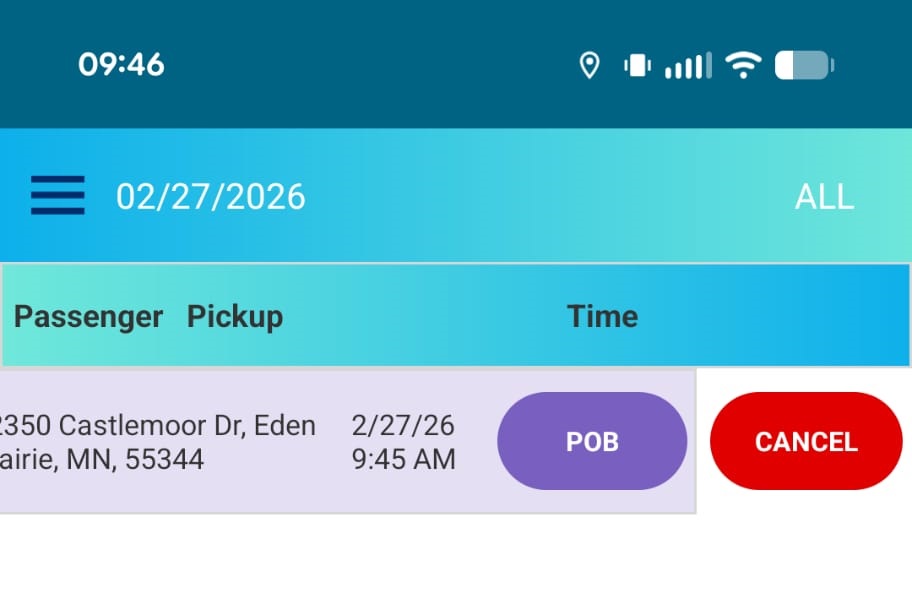
Trip waiting for the driver to arrive at dropoff
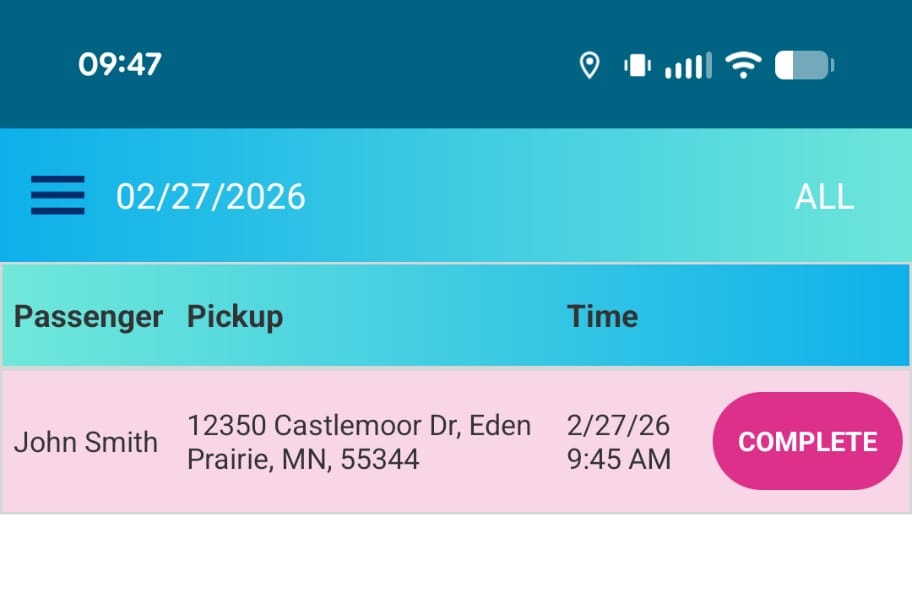
After the driver presses Complete, the passenger will need to provide their signature on the device screen in order to complete the trip. The driver shall hand the device to the passenger to sign and press Save after the passenger has signed.
The passenger should provide their signature on this screen
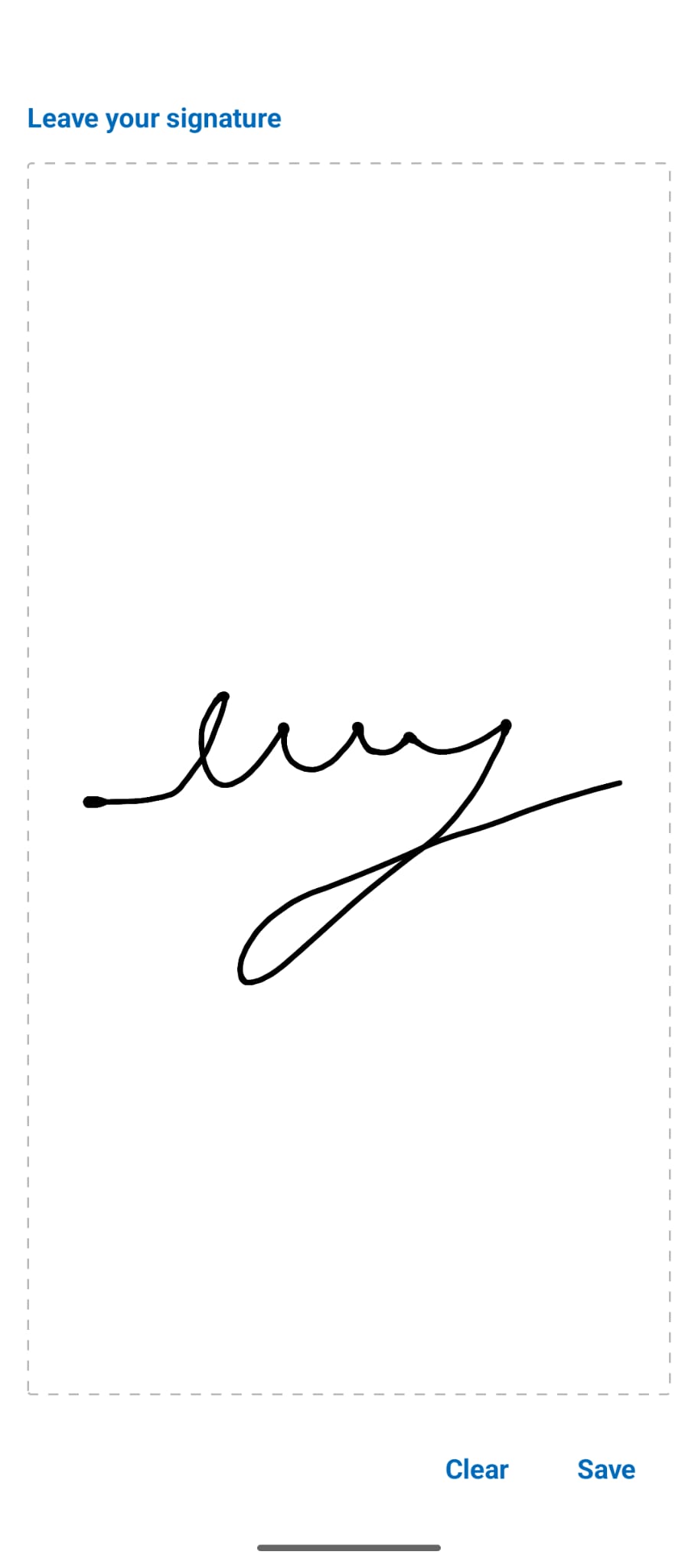
💡 Note: If the passenger is unable to sign, the driver can write "UTS" as the signature. If the passenger refuses to sign, the driver can write "RTS" as the signature.